Showing posts with label Apps. Show all posts

Sunday, February 24, 2013

Fluently

I found Fluently, which is a great app for easy onsets, when it was a free app featured on Smart Apps for Kids.  It is an app that is designed to monitor easy onsets in students speech.  It's regularly a $10 app so I feel very fortunate to have downloaded it in time.

I've been using it in therapy with 4 students who stutter for the past few weeks.   I also have been sick and have had a very hoarse voice, so my kids have been amused to see the app "alert" almost every time I open my mouth.

The app is designed to monitor easy onsets. When you are using smooth speech the button is blue and pluses slightly as you speak.  You can adjust the sensitivity with the slider bar at the bottom.


If you speak to harshly (ie ME!) or use a hard onset the button will turn read and you will have to tap the button to reset it.
I've had varying success with my students using this app.  I have a student who is about ready to move on from easy onsets and try other things, and while he was interested in the app, he didn't use it to monitor his speech.  Another one of my students who is just starting easy onsets was VERY interested in the app, and would practice and practice until he was able to keep the button blue through single words.  It should be noted that I also see him for articulation, and he doesn't do much to monitor his speech.  Both of my girls have been doing easy onsets for a few sessions, but struggle to self-monitor.  They used the app to monitor, but not as closely as my other student.

In my opinion, Fluently is a very simple app that I'm happy to add to my fluency toolbox.  My students who have less experience self monitoring their speech while producing easy onsets found the app more useful, but my student who has had to self monitor didn't use it.  I like it better for my students who aren't as far along in therapy and struggle to self monitor.  If I had bought it I would consider it well worth the price for the one student's self monitoring skills alone.


Thursday, February 21, 2013

I still love Dropbox!

I did a post about how much I love dropbox last spring.  I am still loving everything about using Dropbox for working between my home and work computer.  Life without the jump drive is going well.  I regularly back up my computers, but that isn't a daily activity.  Dropbox allows me to keep my working files in a "crash-free" zone so I won't ever lose part of an evaluation report because of a computer issue.

Dropbox will also upload pictures on the I-pad into a folder you can use on your computer!  I originally planning to blog about this, but when the ASD teacher in my building mentioned that she Googled a classroom teacher for a picture for a picture schedule, I thought that this handy trick isn't as common knowledge as I once thought, and needs to be shared.

I frequently take individualized pictures for a few specific students as well as to upload here.  By being able to use the I-pad I don't have to worry about remembering to take my camera back and forth.  It's also great to take individualized pictures for picture schedules, or for communication boards for Boardmaker. 

All my photos are currently uploaded.  You will get a message while it is uploading telling you how much is left.  You can even see screen shots for an upcoming post!

You can select to automatically upload pictures (it will do video too!) when you download and open the dropbox app.  When you are ready to upload a bunch of pictures, open Dropbox on the I-pad and it will get started!  Once you upload a video, and move it out of your dropbox folder, you will also open up a lot of space on the I-pad too.

Signing up for here will give me more free space.  Otherwise you can sign up at Dropbox.com.  You get so much free space to start with, and then can invite others or choose to pay for more free space depending on your needs.

Tuesday, May 8, 2012

Splingo - iPad App Review


Splingo's Language Universe is a following directions/complex language app.  It asks children to either make a choice or follow a 1 step direction.  The alien has an "alien" voice that my children are having an easier time listening to than I am.


Before starting the game, the you an select the number of Nouns, Verbs, Prepositions and Adjectives.  It have some simple objectives that are great for lower/younger students, but it also has some more complex ones that I've been using with some sixth graders.  I really like that kids have to listen to the entire direction, not just try to pick out one or two key words in order to follow it. 

One big surprise was working on possessives in this app.  The app will show 2-4 items next to a person/animal and ask to find "the mommy's box" or to move something into/behind ect the mommy's box.
Touching Splingo at the bottom of the screen will allow him to repeat the direction.


As kids play the app keeps track of points.  You get more points for answering on the first try, and after 3 or 4 tries on one direction you only get 5 points.  After they are done playing kids can enter their name on the high score board.

The app is not only for following directions, it's organized into a game!  After every three responses kids get to complete a task to help Splingo get home.  After a task is completed they get to watch a short video of Splingo traveling to the next planet or level (5 in all).  The tasks are: assembling the rocket, fueling the rocket, collecting friends, collecting snacks and collecting activities.  Kids only need to touch something to add it to the rocket and are quickly back to following directions.


My kids are having fun with it, but it's therapy targets are closer to listening for details and understanding adjectives, prepositions and possessives rather than following directions.  I really wish there were some two or three step directions or that the number of steps in a directions could be selected. 


Friday, May 4, 2012

First Phrases - iPad App Review


First Phrases is one of the apps I got as a part of my grant for 9.99.  One of my students in particular is completely in love with this game, and due to the "Cat" character in the Lite Version he calls it the Cat game.   There is also an in-app purchase for 99 cents that adds more characters (boy, girl and dog I think).

There are several steps to this activity.  First, the child much first either touch or manipulate a three word command phrase.  The first level has a single touch, then the student can move the word to the space in the right order and then has to put the phrase in the correct order.

Next, the student hears the animal say "Ok, I'll _____."  Then the student watches an animation that illustrates the animal following the command.


After the child watches the animal follow the command, they record their voice giving the animal the command.  Their voice plays giving the command, and the animation plays again.  There are also sound effects that go along with the application.

There are a couple things I really like about this app.  1) video visualization of action verbs used in the commands.  2) recording of the students voice so the hear themselves using words and phrases and 3) individually picturing the words to help kids individualize the words rather than learning phrases. 

I started using this application during an explosion in my student's language use.  He went from 1-2 word phrases to 4-5 word utterances.  I changed his requirement to repeating full sentences for the recording such as "The cat is jumping" or "The cat is jumping over the hole."   This means we can still use a favorite activity, get vocabulary we haven't yet done in the game, but keep it at a challenging level for therapy!  I don't have the boy and girl in-app expansion, but I want it to start using this to add he/she pronouns to this activity when working on sentences.

Friday, April 27, 2012

Toontastic - Iapd App Review

Toontastic is my new favorite speech therapy toy!  The ASD teacher in my building found it, so I can't take all the credit, but I'm loving it!  It's an iPad app that allows children to create and narrate their own cartoons.  The basic app is free and comes with several boards and characters to use in the animation.   There is a 9.99 (currently) in app purchase to get a wider variety of toys and boards to use.  Otherwise individual boards can be purchased if you just want a few.  It's been a big hit with my students in the third grade all the way up through middle school.  I'm using with students working on telling stories and with my articulation and fluency students who are working on generalizing their skills into conversation.  They can listen to their story on the record function and judge how they are doing on their speech skills.  One of my students who has autism has been using it in his classroom and he has been creating and narrating stories in his classroom using Toontastic.  The best part is that none of us would have guessed that he could tell a story based on the skills he typically shows, and we have recordings and animations!


This app is great when working on telling narrative stories.  The app is structured by the different parts of a story, and explains what part of the story they are working on.  You can add or delete scenes at each part of the story to customize the app for the level you are working on.   Kids can tell a three part story or much longer.

You start by selecting the part of the story you are going to narrate and picking a scene.  After that you scroll through the list of characters on the bottom and select which ones you want to add to your story.

You can adjust the sizes, colors and add and delete characters from the "start animation" screen.  When students are animating their scene they move the characters and the legs, arms, wheels ect of the characters move.
  

After you finish animating your students can pick the kind of music to set the mood for their scene.   By sliding the scene up and down to adjust the level of the mood.  It's a good way to help kids visualize levels of feelings as well.


Saturday, April 21, 2012

Dropbox is my New Best Friend!


I absolutely love Dropbox.  It is a great way to share documents between different computers.  I use it to store word documents of evaluation reports I haven't yet entered into the online system, sample IEP goals and objectives, test descriptions and so much more.   I can't even express how wonderful it has been not to have to worry about emailing the most recent copy of a document to myself to work on at home, all I have to do is save the the file in the dropbox instead of in a regular folder on the computer.  I can then open it up on my home computer without any extra effort.  It has taken one extra step out of working at home and it has made many things much easier. 


It has been a great way to share materials, resources and collaborative documents with the other SLPs I work with.  When I find a new material, write a new generic test description or have a great picture of a student I put them in a shared folder in the dropbox and the share is automatic.  It's also a great place to keep a running list of new referrals and evaluations so we can all have, see and update the same document and not keep replacing shared copies.  

I have a separate account set up on the iPad using the hotmail account I also set up for ipad exclusive use (no chances of student access to my email, please and thank you!).  I then shared all the PDF therapy materials books and other resources to the iPad dropbox account.  By opening the dropbox app on the iPad a wealth of resources are literally at my finger tips.  

1. Open the book you want.
2. Turn the iPad vertically for a full screen view.

It's a great way to have all the sounds in an articulation book or other materials with you while traveling.  No planning ahead/printing pages from the book for each student necessary.  Putting books in the iPad instead of your travel bag is a great way to save paper and your back. 

It's also a great way to view PDFs or word documents you created or download from online in therapy.  I love it for word lists I've created.
Sometimes I just Stutter - PDF of a book about stuttering for ages 7-10 that's free for download on www.stutteringhelp.org

I can't express how much I love my dropbox and I really do use it all the time.  For the security conscious among us, I was cleared by our school "tech guy" that it was secure enough to store student information.  You get so much space on dropbox for free and by inviting others you get additional free space. 
Signing up for Dropbox by following this link will net me more free space and I will be VERY appreciative.

EDIT!

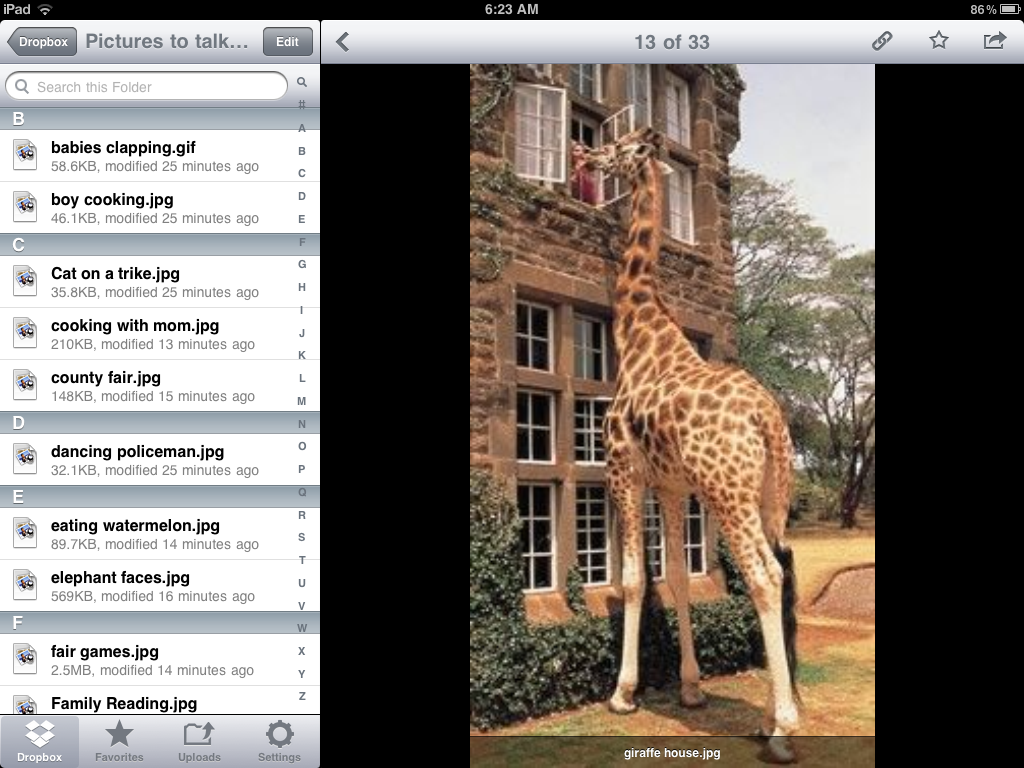
Since posting this I found another use for dropbox on the Ipad.  Pinterest is always showing me some great conversation pictures to use in therapy.  I didn't really want to format all the pictures to similar sizes and do the print, cut out, laminate cut out sequence.  I instead found a way to use all of those great conversation/description pictures on the iPad.  I created a folder on my main dropbox account and shared it with the Ipad.  Then I'm able to open all the pictures on the iPad and have easy access during therapy sessions!